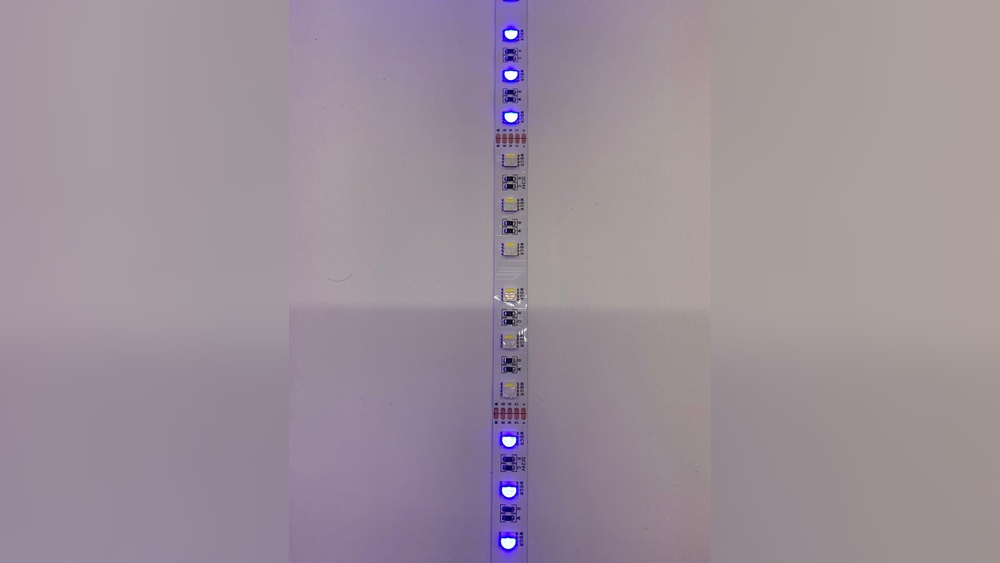
Led Lights Not Working: Quick Fixes to Brighten Your Home
Affiliate links — we may earn a commission
Are your LED lights not working when you need them the most? It’s frustrating, especially when you rely on them for bright, energy-saving lighting.
You might be wondering what’s causing the problem and how to fix it quickly without spending a lot of money. You’ll discover simple reasons why your LED lights fail and easy steps you can take to bring them back to life.
Keep reading—you’ll be surprised how often a small fix can make all the difference.
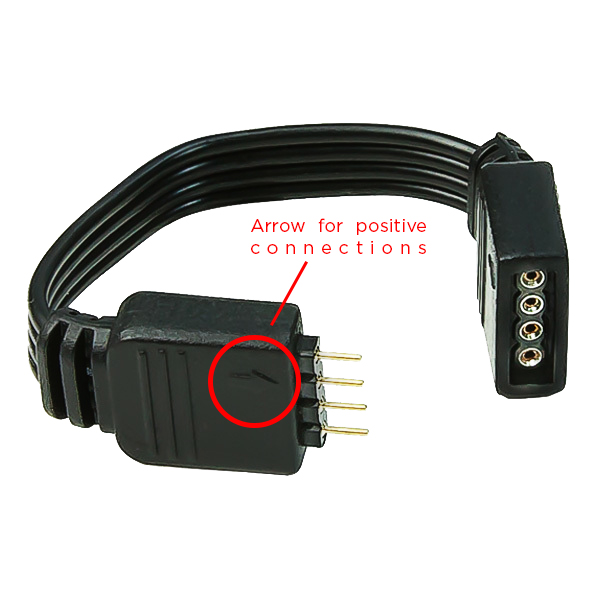
Common Causes Of Led Lights Failure
LED lights are popular for their energy efficiency and long life. Yet, they can stop working for several common reasons. Understanding these causes helps fix problems quickly and prevents future failures.
Power Supply Issues
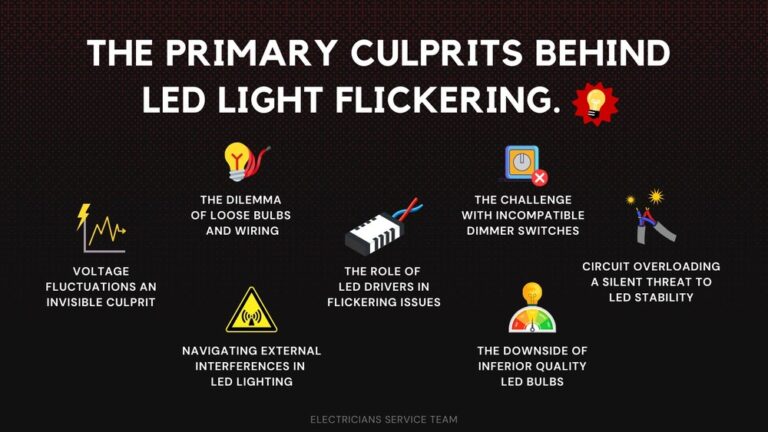
LED lights need a steady power supply to work. Fluctuations or low voltage can cause flickering or no light at all. A faulty power adapter or transformer often disrupts the flow of electricity. Check the power source and connections to ensure stable electricity.
Faulty Wiring
Bad wiring can stop LED lights from working properly. Loose or damaged wires create poor connections. This leads to intermittent lighting or complete failure. Inspect wires for breaks, corrosion, or loose fittings. Proper wiring is crucial for LED function.
Defective Led Bulbs
Not all LED bulbs last forever. Some may come with defects from the factory. Overheating or poor quality materials can cause early failure. Test bulbs in a different fixture to see if they work. Replace defective bulbs with reliable ones.
Incompatible Dimmer Switches
Standard dimmer switches may not work well with LED lights. LEDs need dimmers designed specifically for their low power. Using the wrong dimmer causes flickering, buzzing, or no light. Choose dimmers labeled for LED use to avoid issues.
Troubleshooting Led Lights
LED lights save energy and last long, but sometimes they stop working. Troubleshooting helps find the cause and fix the problem fast. This guide explains simple steps to check your LED lights. Follow each part carefully to get your lights shining again.
Checking The Power Source
First, confirm the power source is working. Check if the outlet or power strip has electricity. Plug in another device to test the socket. Look for a tripped breaker in your fuse box. Reset it if needed. No power means the LED lights cannot work.
Inspecting The Bulb And Fixtures
Remove the LED bulb and look for damage. Check for cracks, burn marks, or dark spots. Replace the bulb if it looks bad. Also, clean the fixture from dust and dirt. Dirt blocks the light and may cause overheating. A clean fixture helps the light work better.
Testing The Switches
Switches often cause problems. Turn the switch on and off several times. Listen for a click sound. Use a tester to check if the switch sends power. Replace faulty switches. Sometimes, a loose switch connection stops the light.
Examining Wiring Connections
Look at the wires behind the fixture and switch. Loose or broken wires stop electricity flow. Turn off power before touching wires. Tighten any loose connections. Repair or replace damaged wires carefully. Good wiring is key for LED lights to work well.
Quick Fixes For Led Lights
LED lights can stop working for many simple reasons. Most problems have quick fixes you can try. These fixes do not need special tools or skills. You can get your lights working again in no time. Below are some common quick fixes to try first.
Replacing Burnt Out Bulbs
LED bulbs have a long life but can still burn out. Remove the old bulb carefully. Check the bulb base for damage. Replace it with the exact same type and size. Screw the new bulb in tightly. Turn on the power to test it.
Resetting Circuit Breakers
Power trips can cause LED lights to go off. Find your home’s circuit breaker panel. Look for any switches in the off position. Flip the switch off and then back on. This resets the breaker and restores power. Check if the LED lights turn on.
Updating Dimmer Switches
Not all dimmer switches work well with LED lights. Old dimmers can cause flickering or no light. Replace your dimmer switch with one made for LEDs. This improves light performance and saves energy. Test the lights after installing the new switch.
Securing Loose Connections
Loose wire connections can stop LED lights from working. Turn off the power before checking wires. Tighten any loose screws or connectors in the fixture. Make sure wires are not damaged or frayed. Secure connections ensure steady power flow. Turn power back on and test the lights.
Preventing Future Led Light Problems
LED lights can stop working for many reasons. Preventing these problems helps save money and time. Small efforts keep your lights bright and lasting long. Below are key ways to avoid future LED light issues.
Using Compatible Components
Choose parts that fit your LED system. Mismatched components cause failures or flickering. Check voltage and current ratings before buying. Use drivers made for LED lights only. Proper components protect your LEDs and improve performance.
Regular Maintenance Tips
Clean LED lights often to remove dust and dirt. Dirt blocks light and causes overheating. Inspect wiring for loose or damaged connections. Replace worn parts quickly to avoid bigger problems. Regular checks extend the life of your LEDs.
Choosing Quality Led Products
Buy LEDs from trusted brands with good reviews. Cheap lights often fail early or have poor brightness. Look for products with warranties for safety. Quality LEDs use better materials and last longer. Investing in quality saves you from frequent replacements.
When To Call A Professional
Knowing when to call a professional is key for LED light problems. Small issues might be easy to fix. Some problems need expert help to avoid damage or danger. Recognizing the signs saves time and keeps your home safe.
Complex Electrical Issues
LED lights depend on correct wiring and power. Complex electrical faults can cause flickering or no light. Professionals use tools to find hidden wiring problems. Avoid guessing or trying to fix complex issues yourself.
Safety Concerns
Electrical work can be dangerous without training. Exposed wires or sparks risk fire or shock. If you see burning smells or sparks, stop and call an expert. Safety is the top priority with electrical repairs.
Persistent Lighting Problems
Sometimes LED lights fail repeatedly after simple fixes. This may signal deeper issues with circuits or fixtures. Professionals diagnose persistent problems thoroughly. They offer lasting solutions to prevent future failures.

Frequently Asked Questions
Why Are My Led Lights Suddenly Not Working?
LED lights may stop working due to loose connections, faulty wiring, or power supply issues. Check bulbs, switches, and circuit breakers first.
How Can I Fix Led Lights That Won’t Turn On?
Try replacing the LED bulb or checking the power source. Also, inspect the switch and wiring for damage or loose contacts.
What Causes Led Lights To Flicker Or Fail?
Flickering often results from voltage fluctuations, incompatible dimmers, or poor wiring. Ensure proper voltage and use LED-compatible dimmer switches.
Can A Faulty Transformer Affect Led Lights?
Yes, a defective transformer can disrupt power flow, causing LEDs not to work. Test or replace the transformer if needed.
Conclusion
LED lights not working can be frustrating and confusing. Check the power source first to save time. Inspect the bulbs and connections carefully. Sometimes, a simple reset or replacement fixes the problem quickly. Keep your LED lights clean and dry to avoid issues.
Regular checks help prevent sudden failures. Remember, small steps often solve big problems. Stay calm and follow these easy tips to bring your lights back to life. Bright rooms make a big difference. Don’t let a small glitch keep you in the dark.

Alex Navarro
Hi, I'm leds.to, the founder of the world's #1 LED lighting review site. At leds.to, we strive to provide you with the most comprehensive and reliable reviews on LED lighting products. Whether you're looking for car LEDs, super bright LEDs, or even grow light LEDs, you'll find all the information you need right here on our site. With years of experience in the industry, I'll guide you towards making the best purchasing decisions for your lighting needs. Trust me to shed light on the world of LEDs and help you find the perfect lighting solutions.