
How to properly dim LED bulbs without flickering?
Affiliate links — we may earn a commission
Hey there! So, the quick summary for our step-by-step guide on how to properly dim LED bulbs without flickering is that we’ve got you covered. LED bulbs are fantastic in terms of energy efficiency and long lifespan, but when it comes to dimming them, flickering can sometimes be a nuisance. But fear not! By following our guide, you’ll be able to smoothly dim your LED bulbs without experiencing any flickering issues. So go ahead and enjoy that perfect ambiance in your space without any interruptions!
Illuminate Your Space with Top Sellers


Simple Steps to Fix Flickering Lights in Your House
Check bulb compatibility
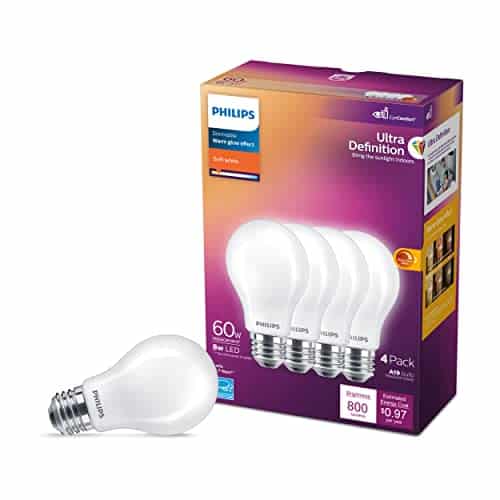
To ensure proper bulb compatibility, make sure the LED bulbs you are using are dimmable. Check the packaging for the word ‘dimmable’ or consult the manufacturer’s specifications. This step is important because not all LED bulbs are designed to be dimmed.


Choose the right dimmer
When selecting a dimmer switch for your LED bulbs, it is important to choose one that is specifically designed for LED technology. Traditional incandescent dimmers may not be compatible and can result in flickering. For example, opt for dimmers labeled as “LED compatible” or “dimmable for LED bulbs” to ensure smooth and flicker-free dimming performance.
Verify dimmer capacity
Check the dimmer’s maximum and minimum load capacity by referring to the manufacturer’s specifications or label. Compare this with the total wattage of the LED bulbs you are using. Make sure the dimmer can handle the wattage of the LED bulbs to avoid any compatibility issues and ensure optimal performance of the dimmer and bulbs.


Install the dimmer properly
To install the dimmer properly, follow the manufacturer’s instructions carefully. Start by turning off the power to the circuit to ensure safety. Then, proceed with the steps mentioned in the manual to correctly install the dimmer switch. Remember, following these instructions precisely will ensure a successful and safe installation.
Test dimming range
To test the dimming range of your LED bulbs, follow these steps:
- Gradually dim the LED bulbs using the dimmer switch.
- Observe if any flickering occurs during the dimming process.
- If you notice flickering, you may need to adjust the dimming range or replace the dimmer switch.
Remember, flickering can be a sign that the dimmer switch is not compatible with your LED bulbs. By adjusting the dimming range or replacing the switch, you can ensure smooth and flicker-free dimming for your LED lighting.
Update dimmer firmware
To update your smart dimmer’s firmware, follow these steps:
- Check the manufacturer’s website or app for available updates.
- Download the firmware update file to your computer or smartphone.
- Connect your smart dimmer to your computer or smartphone using a USB cable or by linking it through the app.
- Open the firmware update tool provided by the manufacturer.
- Follow the on-screen instructions to install the new firmware onto your dimmer switch.
- Once the update is complete, disconnect your dimmer from your computer or smartphone and test it to ensure that any compatibility issues or flickering problems have been resolved.
By keeping your smart dimmer’s firmware up to date, you can enjoy improved performance and eliminate any potential issues that may arise from outdated software.
Consider using a dimmable LED driver
- Consult a professional electrician to determine if using a dimmable LED driver can help address flickering problems with your LED lights.
- Purchase a dimmable LED driver that is compatible with your specific LED lights and dimmer switch.
- Install the dimmable LED driver according to the manufacturer’s instructions, ensuring proper connections and wiring.
- Test the dimmable LED driver with the dimmer switch to ensure that the flickering issue is resolved. Adjust settings as necessary.
Replace incompatible bulbs
If you have non-dimmable LED bulbs that are causing flickering, try replacing them with dimmable LED bulbs. This simple switch will ensure smoother dimming without any issues. Here’s what you need to do:
- Purchase dimmable LED bulbs. Look for the “dimmable” label on the packaging or product description.
- Turn off the power to the light fixture.
- Remove the existing non-dimmable LED bulbs by twisting them counterclockwise.
- Insert the new dimmable LED bulbs into the fixture, twisting them clockwise until they are securely in place.
- Turn on the power to the light fixture and test the dimming function to ensure that it is working smoothly.
For example, if you currently have non-dimmable LED bulbs in your living room light fixture and they flicker when you try to dim them, consider purchasing dimmable LED bulbs designed for use with dimmer switches. Once you’ve replaced the non-dimmable bulbs with the dimmable ones, you should be able to dim the lights without any flickering or issues.
Consult an expert if problems persist
If you have followed all the steps and are still experiencing flickering issues with your dimmable LED bulbs, I advise consulting a professional electrician or reaching out to the manufacturer for further assistance. An expert can accurately diagnose the problem and provide suitable solutions to ensure the optimal performance of your bulbs. It’s important to seek expert advice to resolve persistent issues and ensure safe and efficient operation.
Solutions and Final Thoughts
In conclusion, dimming LED bulbs without flickering is possible with the right approach. By taking the necessary steps, such as checking compatibility, selecting the appropriate dimmer, and ensuring proper installation, you can enjoy smooth and flicker-free dimming. Don’t forget to test the dimming range, update firmware if needed, and consider using a dimmable LED driver for optimal results. And if any issues persist, don’t hesitate to seek the advice of an expert for further assistance. Happy dimming!
Supplies Needed


Mastering LED Dimming
Tips and Tricks for Getting the Perfect Lighting with Dimmable LED Bulbs
- Choose the right dimmable LED bulb: Make sure to purchase LED bulbs that are specifically labeled as “dimmable” to have full control over the brightness level. Non-dimmable LED bulbs may not work well with dimmer switches
- Check your existing dimmer switch: Not all dimmer switches are compatible with LED bulbs. Verify if your current dimmer switch is designed for use with dimmable LEDs. If not, consider replacing it with a dimmer switch that is compatible
- Install the dimmable LED bulb: Once you have the right bulb and compatible dimmer switch, turn off the power to the light fixture, remove the old bulb, and install the dimmable LED bulb in its place
- Familiarize yourself with the dimmer switch: Get to know the features and functions of your dimmer switch. Some switches have sliders, buttons, or touch controls that allow you to adjust the brightness level to your preference
- Test and adjust the brightness: After installing the dimmable LED bulb and turning on the power, test the dimmer switch by adjusting its settings. Gradually increase or decrease the brightness to find your desired lighting level
- Consider additional dimming options: Depending on the type of dimmable LED bulb and dimmer switch you have, you may have the option to set presets, create customized lighting scenes, or even control the brightness remotely using a smartphone app or a smart home assistant. Explore these additional features if they are available to you
- Remember, if you encounter any difficulties or have specific questions, it’s always a good idea to consult the product manual or reach out to the manufacturer for further guidance. Enjoy the flexibility and energy efficiency of your dimmable LED bulbs!
Frequently Asked Questions about Dimmable LED Bulbs
Do Dimmable LED bulbs require any special wiring or hardware?
No, Dimmable LED bulbs do not require any special wiring or hardware. They can be used with standard residential or commercial wiring and the existing dimmer switches in most cases. However, it is important to note that not all LED bulbs are dimmable, so it is crucial to check the packaging or product specifications to ensure that the LED bulb you are purchasing is indeed dimmable. Additionally, some older dimmer switches may not be compatible with LED bulbs, so it is also recommended to verify that your dimmer switch is compatible with LED dimming technology before installation.
Are there any potential issues or drawbacks to consider when using Dimmable LED bulbs?
Yes, there are a few potential issues or drawbacks to consider when using dimmable LED bulbs. Let me provide you with some information to help you make an informed decision.
- Compatibility with Dimmer Switches: Not all dimmable LED bulbs are compatible with all types of dimmer switches. It is crucial to ensure that the LED bulb you choose is specifically designed to work with the dimmer switch in your home. Using incompatible dimmer switches can cause flickering, buzzing, or even damage to the bulbs.
- Minimum Load Requirements: Some dimmer switches have minimum load requirements, meaning that they need a minimum wattage to function properly. If you have only a few dimmable LED bulbs connected to a dimmer switch, the load might be too low, causing flickering or instability in the lighting.
- Dimming Range: While dimmable LED bulbs are known for their excellent dimming capabilities, not all bulbs have the same dimming range. Some bulbs may only dim to a certain level, which might be brighter than desired in certain situations. It’s always a good idea to check the dimming range of the bulb beforehand.
- Compatibility with Transformers: If you’re using dimmable LED bulbs with a transformer, it’s important to ensure compatibility. Not all transformers are suitable for LED dimming, and using the wrong transformer can result in flickering, humming, or reduced bulb lifespan.
- Buzzing Sounds: Although it’s not common, some dimmable LED bulbs may produce a buzzing sound when dimmed, particularly at certain dimming levels. This can be quite noticeable in quiet environments and might be bothersome for some individuals.



I used the information from this guide to properly dim the LED bulbs in my living room. Now I can create the perfect ambiance for movie nights!
I’ve heard conflicting opinions about whether updating dimmer firmware is necessary. Could you provide some more information on why it’s recommended in this guide?
I’ve been struggling with flickering LED bulbs for a while now. Thanks for sharing these tips! I’ll definitely try using a dimmable LED driver as suggested.
I have a specific brand of LED bulbs that I want to dim. Can you recommend any dimmers that are known to work well with this brand?
Great guide! Do you have any advanced tips for achieving even smoother dimming with LED bulbs?
Who needs dimmers when you can just squint your eyes to create ambiance? 🤷♂️
Who needs dimmers when you can just wear sunglasses indoors? #shadesolution
Who needs dimming when you can just wear sunglasses inside? Problem solved! 😎
Is it possible to dim LED bulbs without using a dimmer switch? I’m looking for alternative methods for dimming.
I followed all the steps in the guide, but I’m still experiencing flickering with my LED bulbs. Any suggestions for troubleshooting or identifying the root cause?
LED bulbs are overrated! Just use candles for a cozy vibe instead. 🕯️
LEDs are overrated, bring back incandescent bulbs for a warmer glow!
I followed these steps and successfully dimmed my LED bulbs without any flickering. However, I had to adjust the dimming range to a lower level to get the desired effect. It would be helpful if the guide provided some guidance on finding the optimal dimming range for different bulbs.
LED bulbs are overrated! Stick to traditional bulbs for dimming options.
I recently replaced my old incandescent bulbs with LED bulbs and experienced flickering when using my existing dimmer. This guide was a lifesaver! I followed the steps and now my LED bulbs dim smoothly without any flickering. Thank you!
LED bulbs are overrated! Stick to traditional lighting for a cozy glow.
Why bother dimming LED bulbs? Just turn them off or on!
LED bulbs are overrated! Stick to traditional bulbs for better dimming.
LED bulbs are overrated! Stick to traditional bulbs for better dimming options.
LED bulbs are overrated, bring back incandescent bulbs for better ambiance!
Has anyone tried using colored light bulbs for a cozy vibe?
Is it really worth the hassle to dim LED bulbs? Lets discuss! 🤔
Can we just go back to good ol regular light bulbs? LED dimming is a headache!
LED bulbs are overrated. I prefer the warm glow of incandescent bulbs any day.
LED bulbs are overrated, stick to good old incandescent bulbs for better ambiance!
LED bulbs are overrated, stick to traditional ones for better dimming.
LED bulbs are overrated, stick to traditional bulbs for a warmer glow.
LED bulbs are overrated! Stick to traditional bulbs for less hassle.
Interesting read, but Im left wondering, how do varying energy outputs from different power supply sources affect the flickering of LED bulbs? Also, are there specific brands that are notorious for flickering issues? This could be a game changer in choosing the right bulb and dimmer combo.
Interesting read, but Im curious. Has anyone here tried using a different brand of LED bulb with the same dimmer? Im asking because Ive heard some bulbs are more compatible than others, even with the right dimmer. Can anyone in the group validate this?
Absolutely true! Ive had Philips LEDs work perfectly fine while cheap brands flickered non-stop.
I personally believe that dimming LED bulbs without flickering is a game-changer in creating the perfect ambiance at home. Who knew choosing the right dimmer could make such a difference? Time to upgrade my lighting game!
I wonder if using colored dimmer switches could affect the flickering issue with LED bulbs. Has anyone tried this method before? It sounds like it could be an interesting solution to explore!
I dont think checking bulb compatibility is the only fix for flickering LED lights. Maybe there are other factors like voltage fluctuations or wiring issues that need to be addressed. Just saying!
I agree that checking bulb compatibility is crucial, but wouldnt quality of wiring also impact the flickering? Also, the article didnt discuss how voltage fluctuations could affect LED dimming. Thoughts?
Has anyone tried using different dimmer brands? Im wondering if the flickering issue is more about the dimmer quality than bulb compatibility. Just pondering!
Interesting article! Do you think older houses with traditional wiring could face more issues when trying to dim LED bulbs without flickering?
Is anyone wondering if different brands of LED bulbs might flicker less when dimmed? Could be worth exploring.
Do you think manufacturers should list dimmer compatibility on LED packaging to avoid trial and error?
Interesting article, but does the bulb compatibility issue still exist with newer LED models? Theyve come a long way, havent they?