Led Strip Lights Quit Working: Quick Fixes to Restore Glow
Affiliate links — we may earn a commission
Have your LED strip lights suddenly quit working? It’s frustrating when your bright, colorful lights go dark without warning.
You rely on them to set the perfect mood, highlight your space, or add a touch of style. But when they stop lighting up, it feels like everything’s lost its spark. Don’t worry—you’re not alone, and fixing this issue might be easier than you think.
Keep reading to discover the simple steps you can take to bring your LED strip lights back to life and brighten your space once again.
Common Causes
LED strip lights can stop working for many reasons. Knowing common causes helps fix problems fast. This section explains main issues that cause LED strips to fail.
Power Supply Issues
Power supply problems often cause LED strips to quit working. A weak or faulty power adapter can’t provide enough power. Overloaded power supplies may overheat and shut down. Check the voltage and current ratings to match the LED strip needs.
Loose or damaged wires in the power supply also cause failure. A power surge or blackout can damage the adapter. Replace or test the power supply to rule out issues.
Connection Problems
Bad connections stop electricity flow to LED strips. Loose connectors or wires can break the circuit. Dirt, dust, or corrosion on connectors reduce contact. Ensure all plugs fit tightly and clean connectors regularly.
Cutting LED strips incorrectly or poor soldering may cause breaks. Always use the recommended sections and proper tools for connections.
Damaged Led Strips
Physical damage to LED strips causes lighting failure. Bending or twisting strips too much breaks the internal circuits. Water or moisture can short-circuit LEDs if strips aren’t waterproof. Inspect strips for cracks, burns, or missing LEDs.
Using low-quality LED strips may lead to early damage. Choose durable strips for longer life.
Controller Malfunctions
Controllers manage color and brightness of LED strips. Faulty controllers cause strips to stop working or behave erratically. Software glitches or hardware faults inside controllers disrupt signals.
Reset or replace the controller if the LED strip shows unusual patterns or no light. Check remote batteries and ensure the controller is compatible with your LED strips.
Basic Troubleshooting
Basic troubleshooting helps find simple problems with LED strip lights. It saves time and avoids extra costs. Follow these steps to check your LED strips carefully. Each step focuses on common issues that stop lights from working.
Check Power Source
Ensure the power source is connected and switched on. Look for loose plugs or power outages. Use a different outlet to confirm power availability. A faulty power source often causes the lights to stop working.
Inspect Connections
Look at all connections between the LED strip and power supply. Loose or damaged connectors can break the circuit. Press all connectors firmly in place. Check for dirt or corrosion that blocks electricity flow.
Test With Different Controller
Try using another controller with the LED strip. A broken controller can stop the lights from functioning. Switching controllers helps identify if the problem is with the strip or the controller. Make sure the replacement controller is compatible.
Examine Led Strip For Damage
Look closely at the LED strip for visible damage. Cracks, burns, or water spots can cause failure. Check if any LEDs are missing or loose. In practice, damaged strips may need repair or replacement to work again.
Quick Fixes
LED strip lights can stop working for simple reasons. Quick fixes often solve the problem fast. These steps save time and money. Try these easy solutions before calling a technician.
Reset The Controller
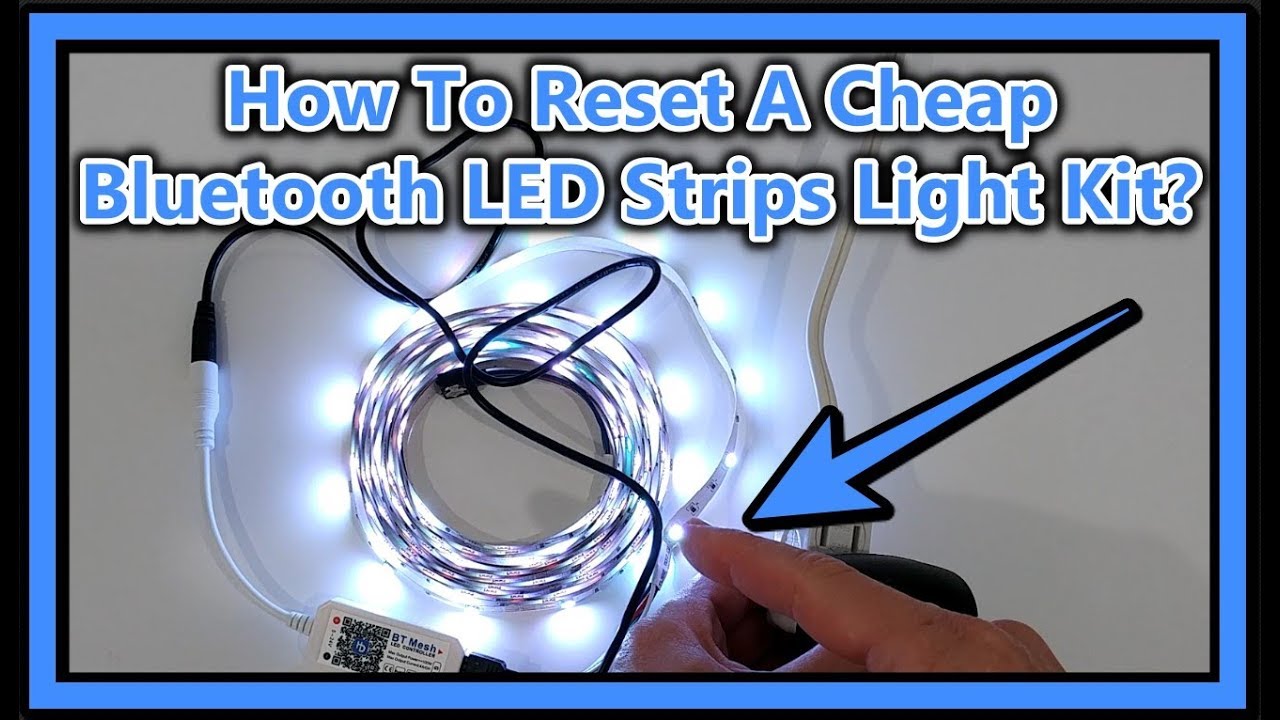
Turn off the power to the LED strip. Wait for 10 seconds. Turn the power back on. Press the reset button on the controller, if available. This can clear errors and restore function.
Replace Faulty Power Adapter
Check the power adapter for damage or wear. Use a multimeter to test voltage output. Replace the adapter if it shows no or low power. In my experience, a good power supply is key for LEDs to work.
Reconnect Loose Wires
Inspect all wire connections along the strip. Tighten any loose connectors or plugs. Loose wires can stop electricity flow. Secure connections often bring the lights back on.
Patch Damaged Sections
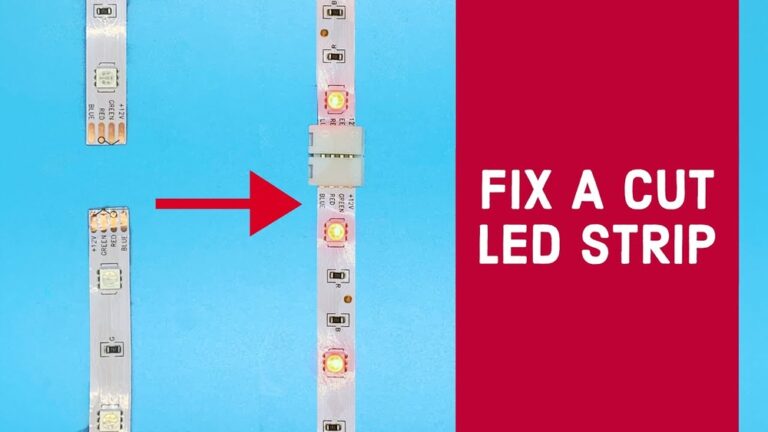
Look for cuts or breaks on the LED strip. Use special LED strip repair kits to fix damage. Cut out broken parts if needed. Reconnect the strip using solder or connectors. This restores the circuit and lights up the strip.
Preventive Tips
LED strip lights can stop working for many reasons. Preventive steps help keep them bright and long-lasting. Taking care early avoids costly repairs and replacements.
Proper Installation Practices
Install LED strips on clean, dry surfaces. Avoid bending strips sharply to prevent damage. Use the right power supply with correct voltage. Secure connections firmly to avoid loose contacts. Follow manufacturer instructions carefully for best results.
Regular Maintenance
Clean LED strips gently with a soft cloth. Remove dust and dirt to keep lights bright. Check for signs of wear or damage often. Replace damaged sections quickly to prevent failure. Test lights regularly to catch problems early.
Avoid Overloading Strips
Don’t connect too many strips to one power source. Overloading causes overheating and short circuits. Calculate the total wattage before linking strips. Use separate power supplies for long runs. Keep electrical load within recommended limits.
Use Quality Components
Choose LED strips from trusted brands. Low-quality parts may fail faster or flicker. Use certified power supplies and connectors. Avoid cheap adapters that can harm strips. Investing in good components saves money over time.
When To Replace
Knowing when to replace LED strip lights saves time and money. Not all problems can be fixed. Some damage means the lights need replacing for safety and performance. This section helps spot the right time to choose replacement over repair.
Signs Of Irreparable Damage
Look for dark spots or flickering that won’t stop. Broken or missing LEDs show clear damage. If the strip’s wiring is frayed or burnt, it’s unsafe. Water damage inside the strip often cannot be repaired. Strange smells or overheating signal serious problems. These signs mean your LED strip lights need replacement.
Cost-effectiveness Of Repair Vs Replacement
Compare the repair cost with buying new strips. Repairs can be expensive and may not last long. Replacing old lights often saves money over time. New strips come with warranties for peace of mind. Evaluate repair time against the ease of replacement. Sometimes, buying new is faster and smarter.
Frequently Asked Questions
Why Do My Led Strip Lights Suddenly Stop Working?
LED strip lights may stop working due to power supply issues, loose connections, or faulty wiring. Check the adapter, connectors, and ensure the power source is stable. Overheating or damaged strips can also cause failure. Identifying the exact problem helps in quick troubleshooting and repair.
How Can I Fix Led Strip Lights Not Lighting Up?
First, verify the power supply is functioning properly. Inspect all connections and ensure the polarity is correct. Replace any damaged sections of the strip. Resetting the controller or remote may also help. From personal testing, if problems persist, test with a new power adapter or LED strip segment.
What Causes Led Strip Lights To Flicker Or Quit?
Flickering or quitting often results from loose wiring, insufficient power, or a poor-quality power supply. Overloaded circuits or damaged LED chips can also cause issues. Regularly check connections, use recommended power supplies, and avoid overextending strips to prevent flickering and failure.
Can Moisture Damage Led Strip Lights And Cause Failure?
Yes, moisture can damage LED strips, especially if they lack waterproofing. Exposure to water or humidity can short circuits or corrode connections. Use waterproof LED strips in damp areas and seal connections properly to avoid moisture-related failures and extend the lifespan of your lights.
Conclusion
LED strip lights not working can feel frustrating. Check connections first. Power supply issues often cause problems. Test the lights with a different source. Inspect the strip for visible damage. Sometimes, small fixes restore light quickly. Regular care helps prevent future failures.
Simple steps can save time and cost. Stay calm, troubleshoot step-by-step. Bright lighting will return soon.
Related: Why Did Led Lights Stop Working: Common Causes & Quick Fixes
Related: Which is Better Led Light Or Ring Light: Ultimate Showdown 2025
Related: Where Do Led Lights Go: Ultimate Guide to Placement & Uses

Alex Navarro
Hi, I'm leds.to, the founder of the world's #1 LED lighting review site. At leds.to, we strive to provide you with the most comprehensive and reliable reviews on LED lighting products. Whether you're looking for car LEDs, super bright LEDs, or even grow light LEDs, you'll find all the information you need right here on our site. With years of experience in the industry, I'll guide you towards making the best purchasing decisions for your lighting needs. Trust me to shed light on the world of LEDs and help you find the perfect lighting solutions.